| In
these instructions, the
fine details (types of clicks, etc.) are usually given for a Windows
setup. The underlying tasks are straightforward and the same no matter
what the
machine. The installations
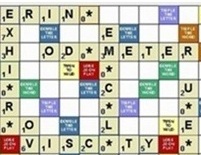
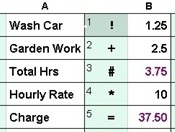
usually get done with a modest effort that will be more than justitifed. Security cautions may pop up here and there. I have two products available for download here. These are T/Maker (the arithmetic spreadsheet) and WildWords (the crossword game). You got to this page because you want to try one of them. Regarding T/Maker, I sincerely believe that making a tool so simple to begin with would encourage even math haters to try it. Regarding WildWords, I got sick of losing at Scrabble to relatives who memorized lists of gibberish words. The changes I made turned out to be a revolution in word play, so I published it. Every new user for either of these efforts is valued by me. Thank you for trying them. Both of these programs are written as java desktop applications using Oracle's popular java platform. This allowed me to write just one version of each program that can run under Windows or on a Mac or other environments. To use either or both, you will need to install Version 8 of Oracle's Java Runtime Environment (JRE) one time. The programs I write end up as files with a type of "jar" which stands for Java ARchive. There is a WildWords.jar and a TMaker.jar. The WildWords.jar file is a complete program. The TMaker.jar file needs some other support files to run. So that jar file and the others are compressed into a single "zip" type file. You will download TMaker.zip then unzip it to get everything. The place to start is installing that JRE from Oracle. Once you have it you can download and run WildWords or T/Maker or other java programs written for it. You may experience delays for tasks that do take some time: downloading and installing java, extracting files from the zip file, very first runs of the jar files. Don't always expect an immediate advances from one click to a prompt for the next. |
| From
Google: Oracle's Java Runtime Environment (JRE) and the Java
programming language are widely used globally. Java
is consistently ranked among the most popular programming languages,
with millions of developers utilizing it and billions of devices and
systems running Java applications. The JRE, which enables
the execution of Java applications, is consequently essential for
running the vast number of programs developed using the Java
language. Oracle actively maintains and supports the Java
platform, including the JRE, and continues to release updates and new
versions. It's doubtful you will be bothered by your own machine for more than simple questions to proceed or not proceed with this download. First, click the following link to go to Java's official website. On the page that appears, you want to click "Download Java For Desktops" Choose your operating system if it is not already chosen in which case only one option is listed. Follow the instructions for downloading and installing the JRE. On Windows, I had to double click the name of the downloaded file to run it. Next I needed a click to allow the installer to make changes to my computer. Then I clicked an "Install" button. This screen included a chance to set a download folder of my choosing but the defaults for this are probably best. Then I was told the installation was a success and clicked a "Close" button. Usually pretty simple and uneventful. |
| Before
downloading the file for WildWords or T/Maker, I would suggest you
create a new folder with an easy to remember name for a place to put it. You do not want to lose it in a list of other files. If you
decide to remove it, everything in a unique folder by itself makes that easier. In Windows, a right click on a link to download will bring up a menu of options. You want to pick the "Save link as ..." option. The file name and type should be loaded correctly as WildWords.jar or TMaker.zip (the picture is an incorrect example with the wrong file type). You need to adjust the destination folder to the one you created (shown for this example as WWTemp) before pressing the Save button. d![]() |
The
WildWords program consists of a single file, WildWords.jar, of only 75K
bytes. As suggested above, you should create a folder for storing it.
Then right click on the line below, choose the "Save link as ..." option and adjust the target directory
before clicking Save.![]() Download WildWords.jar On my machine I do get the warning message shown for which I just have to click the Keep option. I suppose there could be other messages on other machines you must agree to. After, you can run the program by going to the correct folder and clicking or double clicking WildWords.jar name. There may be a delay for the first run. Later, you will want to create a shortcut on your Desktop in Windows or the equivalent on another machine to run it directly from the main screen. If other things happen, you can read the next section. |
| Unlike
the WildWords download, this file is a .zip which is a puzzle for
security software. Basically that software has no idea what is in the
zip file and some just assume the worst. I
have gone out of my way to create problems on the Windows
machines I tried and am including every issue that arose on any
machine. This makes
the process look considerably harder than it was, but this information
would be helpful if one of these issues crops up. The TMaker.zip file includes a number of files associated with the program. These consist of the TMaker.jar file, a number of special cursors, and a number of examples that may be generally useful. You should begin by creating a folder for storing the file (tip previously given). Then right click on the line below and choose the "Save link as ...." option. Download TMaker.zip ![]() ![]() Adjust the box above to show the correct folder. In the example I made a new folder named TMk. If you have done this before in Windows, the file name in the Save may be shown with a digit in parentheses as in the image to the right. It means there is already a file in the folder with the name of TMaker.zip (in the example there must also be one named TMaker(1).zip). It would be best to stop here, go back and delete any folders or files in this new folder name so you work from a clean slate. Then, start this download step from the beginning. Unfortunately Windows adds the parenthetical numbers in duplicate cases instead of just overwriting the existing files.
That's why starting with an empty folder (no subfolders, no folders) is
best to avoid any follow-up confusion as to what went where.When the folder and file name are correct, you can push the Save button. You many need to confirm this download in some way. After the download your folder will have the zip file shown below but not yet the line for the directory "TMaker." Check the special note lower down if the file has a name other than TMaker.zip when downloaded. You need to right mouse click on the zip file and choose the option to "Extract All." This will create the folder TMaker and put all the the intended items in that folder. Again you may need to confirm your intentions. There might be a delay and the process does continue some time even after the new folder name appears. The folder may still be filling ![]() In you enter the folder with a click or double click, you can list its contents. TMaker.jar (eventually in the list) is the file you will run. There may again be a delay before you can do that. Lots of other files will be listed. Leave them as is. You may want to make a shortcut to the TMaker.jar file by right clicking it and providing some information. On my machine, the first time I try to run the TMaker.jar file there is a delay of noticeable minutes while Oracle's JRE does some sort of installation. Then all of a sudden, the screen for T/Maker pops up. You should probably create another folder to save the work you do with TMaker. When you open or save a file in T/Maker you can change directories from the last one if needed. I keep most of my T/Maker work in just one directory. T/Maker files have a type of .tmkr ![]() If you don't see a variety of cursors when running the program, you probably did not extract all files. The cursors are png files. Look in the TMaker folder to check. You should see 70 or so files there -- tmkr and png files plus the TMaker.jar. ====================================================================================================== Special Note From One Unusual Download: Tmaker.zip appeared as shown below in one oddball download. It struck me the security software which changed the name would not have the nerve to actually change the file when they really know nothing about it. Such a file similarily blocked could be needed in an emergency. Then what? Thus, I changed the name (overruling many warnings) to TMaker.zip. I continued with it as normal and it worked fine. If it happens, just go with the flow and try the same. Make sure you are actually changing the file type correctly as well. You would not want to end up with "TMaker.zip.crdownload" for the example below. ![]() I found a second way around the issue above which might be worth knowing for FYI sake. This problem is created by the Windows Defender software. If you go to the "Windows Security" section, there is a tab for "Virus & Threat Protection.'' If you take that, you have a paragraph with that same name and a "Manage Settings" line under it. If you click that you get to a lengthy page. At the bottom is an option to "add or remove exclusions." You will want to add an exclusion for files with a file type of "zip." BTW, there is a site that unzips such files and fully checks them along with other file types. You can find this information about Windows Defender Settings spelled out more precisely with an online search. You can also find complaints about detecting false positives from a number of people. I never needed this in practice, but I tested it and it worked to avoid any additional hassles. |